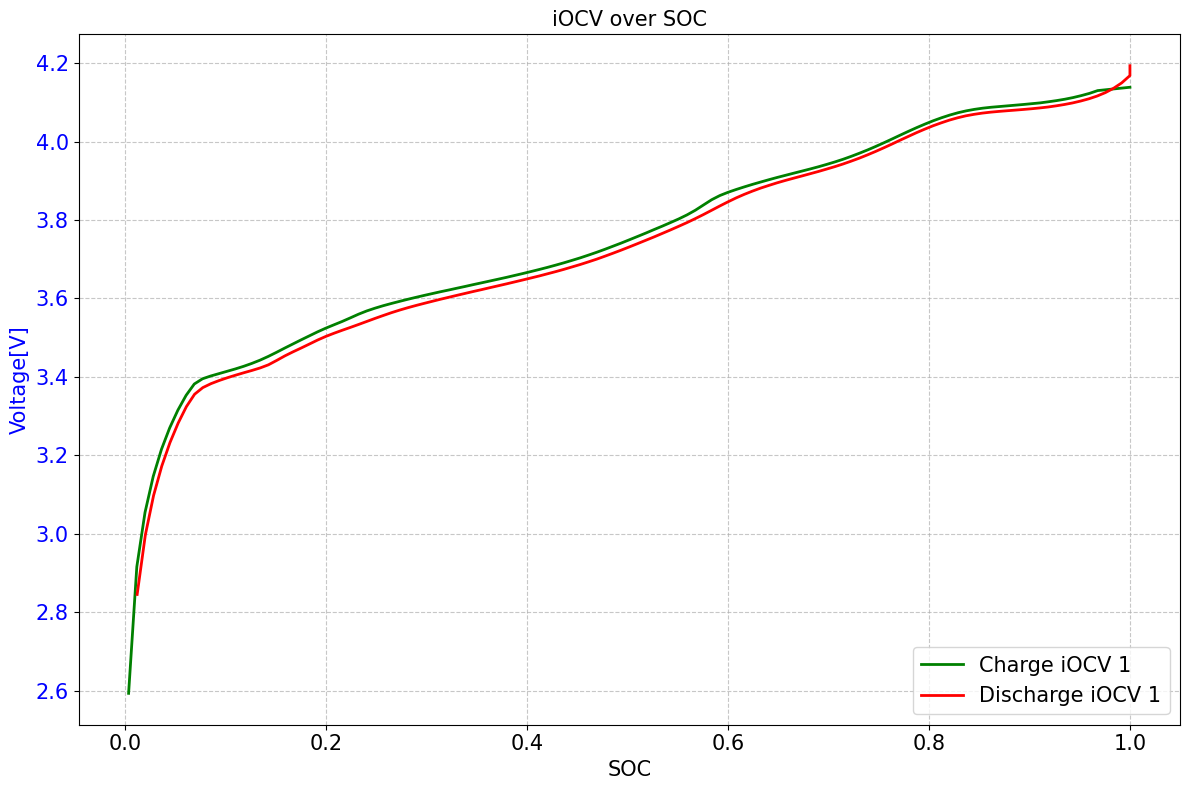
Tutorial 19 - extract_ocv_iocv#
Step 0: Setup the project and prepare the data#
[7]:
from pathlib import Path

import pydpeet as eet
We will use “ERROR” as the logging style for better readability of the notebook
[8]:
eet.set_logging_style("ERROR")
[9]:
standardized_data = eet.read(
    input_path=str(Path.cwd().parent.parent / "res" / "raw_data_from_cyclers" / "Cal_Ageing_Checkup1.xlsx"),
    config=eet.ReadConfig.Neware_8_0_0_516,
)
Step 1: extract_ocv_iocv#
[10]:
config = eet.battery_config_wrapper(c_ref=4.75, max_voltage=4.2, min_voltage=2.5)
[11]:
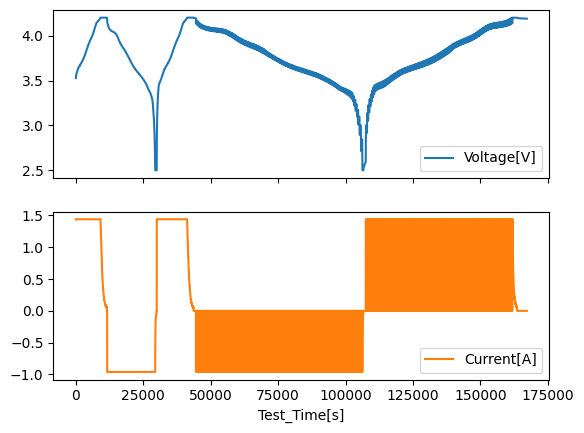
standardized_data.plot(x="Test_Time[s]", y=["Voltage[V]", "Current[A]"], subplots=True)
[11]:
array([<Axes: xlabel='Test_Time[s]'>, <Axes: xlabel='Test_Time[s]'>],
      dtype=object)
[12]:
ocv_blocks = eet.extract_ocv_iocv(
    df=standardized_data,
    config=config,
    visualize=True,
)